SmartScan / Free (10 scans a day), Pro & Teams (unlimited)
Rapid camera scanning. One card per tap.
SmartScan is a rapid TCG card scanner for your phone camera. Scan a collection one card per tap, review the matches, and build an offer in Quick Quote.
- Rapid TCG card recognition with your phone camera.
- Review the printing, finish, language, and condition.
- Carry reviewed cards straight into Quick Quote.
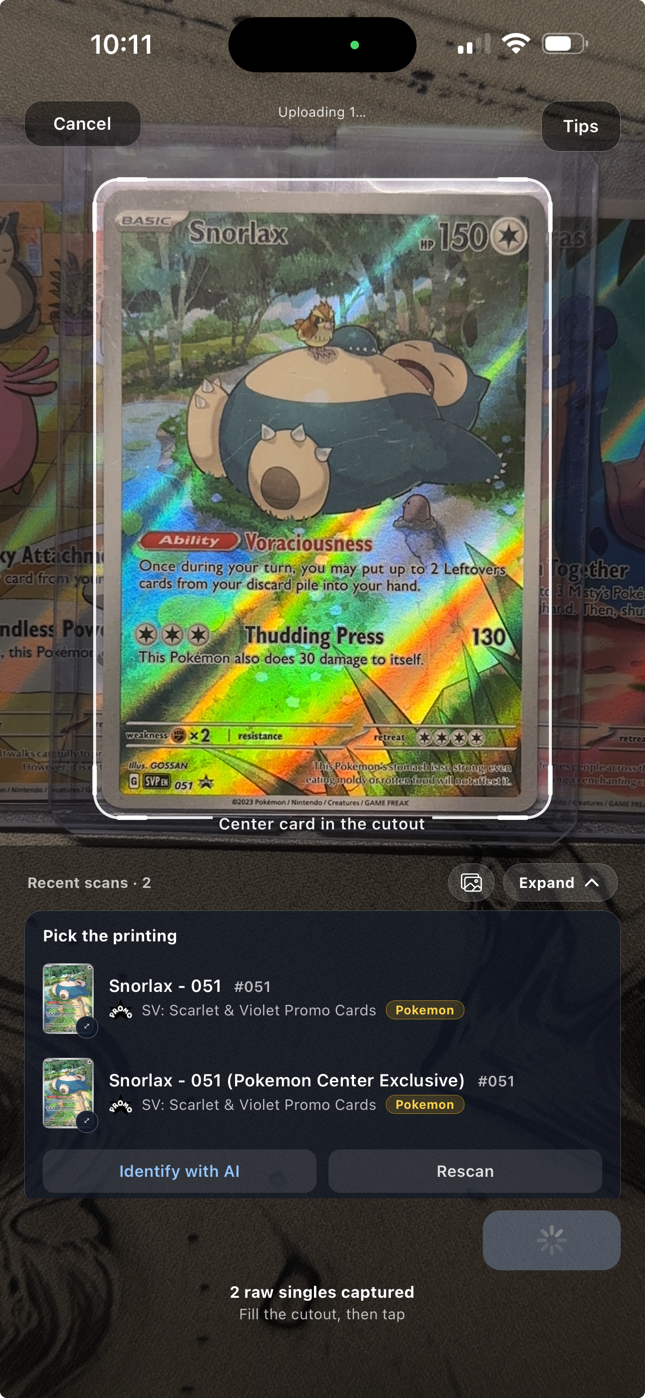
A rapid camera scanner for the whole stack.
Point your phone at one card and tap to scan. Move to the next card and tap again while identification runs in the background. SmartScan collects results for review, so you can work through a collection without typing each card name and set.
Keep the card inside the scan area, use clear lighting, and avoid glare over its artwork and identifying details. Each tap captures one card.
Fast identification. The details in view.
SmartScan puts the card match in front of you quickly, with printing choices when similar versions need a closer look. Review the details that affect value before the cards become an offer.
Confirm the printing, finish, language, and condition against the physical card. You keep control of the match and the condition used in your quote.
The next step is already connected.
Send the reviewed cards into Quick Quote. Inspect values, adjust individual cards, and set your buy percentage from the same phone. When the deal is accepted, save it as a purchased lot with the card records carried forward.
SmartScan also supports graded-card workflows. Grader details and certificate lookups depend on the grading company and available data.
A closer look
Questions about SmartScan.
How do I scan a collection with SmartScan?
Point your phone at one card and tap to scan it. Move to the next card and tap again. Each tap captures one card, and the results collect in your review list. Check the matches, then send the reviewed cards to Quick Quote.
Can I scan cards while the previous scan is processing?
Yes. SmartScan queues captures while card identification runs in the background. Keep scanning one card per tap, then review the matches. Recognition and price lookup are separate steps; timing depends on your phone, the card, image quality, and network-dependent pricing.
Does SmartScan automatically decide the condition?
You confirm the condition after inspecting the physical card. SmartScan identifies the card and gives you the match to review before quoting.
Which plan includes SmartScan?
Every plan. Free includes 10 SmartScans a day, resetting at midnight Central, alongside manual Quick Quote. Pro and Teams include unlimited SmartScan.
Bring your next collection
Your cards.
A clearer way to work.
Put Vendilot to work on your next collection. Choose the plan that fits your table.